
Dog walking software in HoundStack
Dog walking is live. Walks run on the same schedule, field app, billing and client portal as every other service, in the same account.
The walker’s day, on their phone
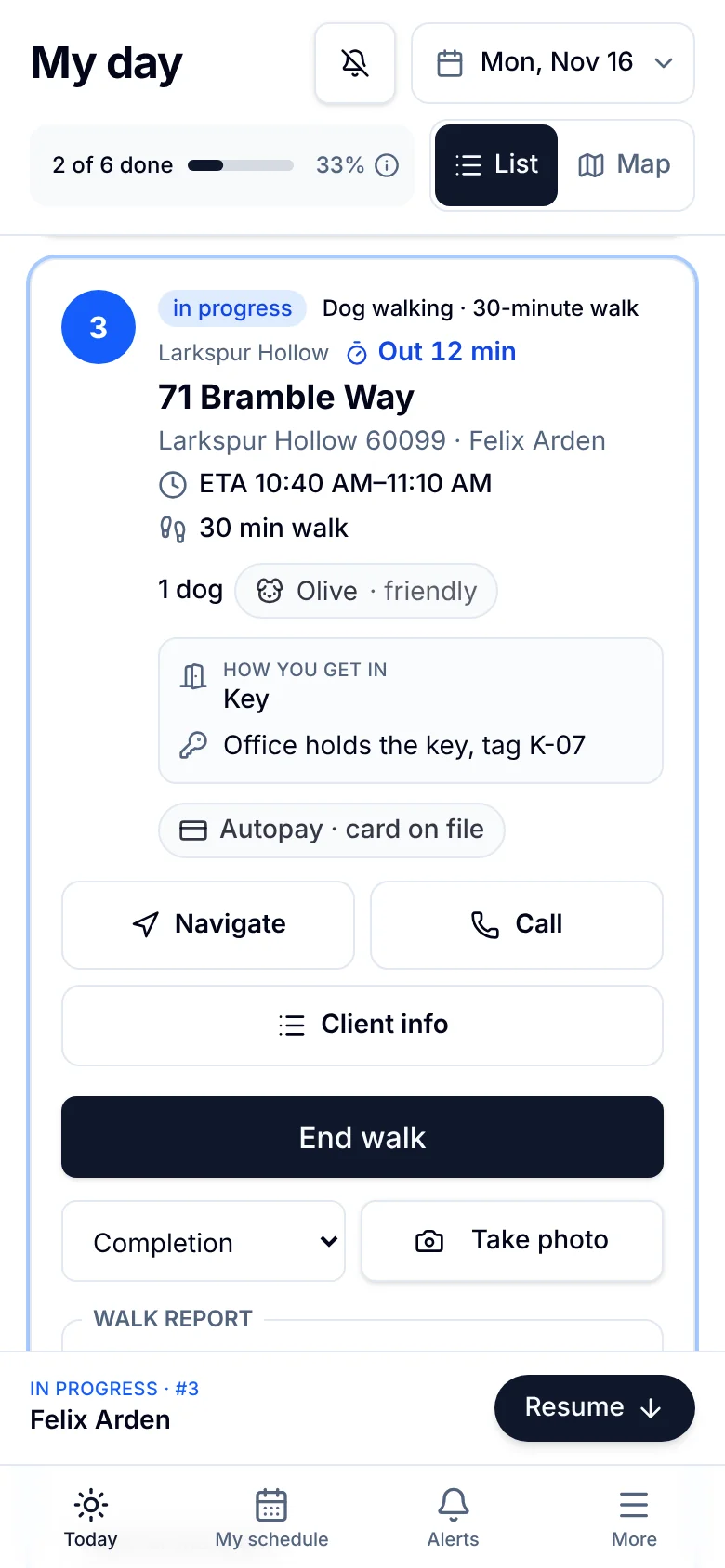
Walkers work from My day in the field app: stops in order, the ETA window, the dogs at the home, Navigate and Call. A walk stop adds Start walk and End walk, the way in and the key tag.
What dog walking includes
Live on app.houndstack.com, in the same account as every other service.
Walk windows and group walks
- Up to six walk times a day for one dog, each with its own arrival window, routed inside it.
- Group walks with a dog limit from 1 to 50. A full group refuses the next dog.
- A dog marked aggressive walks alone. Dogs in a group move with the group’s walker.
How the walker gets in
- The way in for each home: key, lock box, door code, garage code, or someone is home.
- The lock box code, where the key is, and whether the business holds a key, with its key tag.
- Codes are visible to the office and to a walker with a visit at that home, and kept out of calendar feeds and the client portal.
On the walker’s phone
- Start walk and End walk, with the walk length and a running “out for” timer.
- The way in and the key tag for the home.
- For group walks, the pickup order.
Walk reports
- The walker marks pee and poo and writes a note.
- The client gets a walk report email with who walked, start and end time, minutes out, pee and poo, the checklist, photos and the note.
The client portal
- Clients book an extra walk in a two-hour window, or at any time.
- Past walk reports are there to look back on.
- Clients keep their access details current. Codes are write-only in the portal: it shows “On file” or “Not set”, never the code.
Plan changes and billing
- An email when a walk is skipped (with the reason), missed, or moved. Each can be switched on or off in settings.
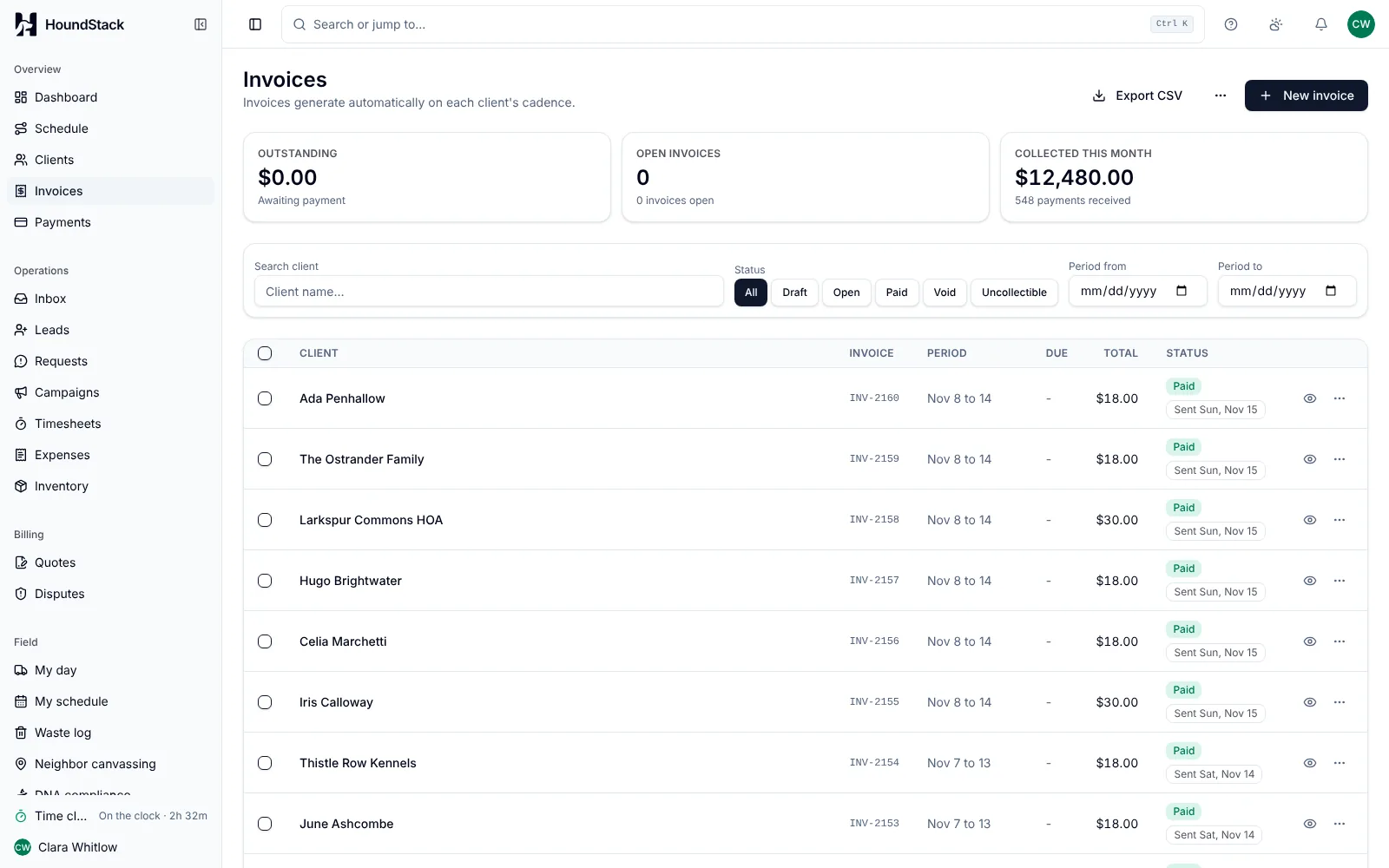
- Price per walk, flat or hourly, with an extra dog fee. Invoices name the walk service.
- Reports show revenue by service.
In the same account as every other service
Dog walking runs on the same schedule, field app, billing and client portal as every other service.
Your first week on dog walking
- 1
Bring your clients in
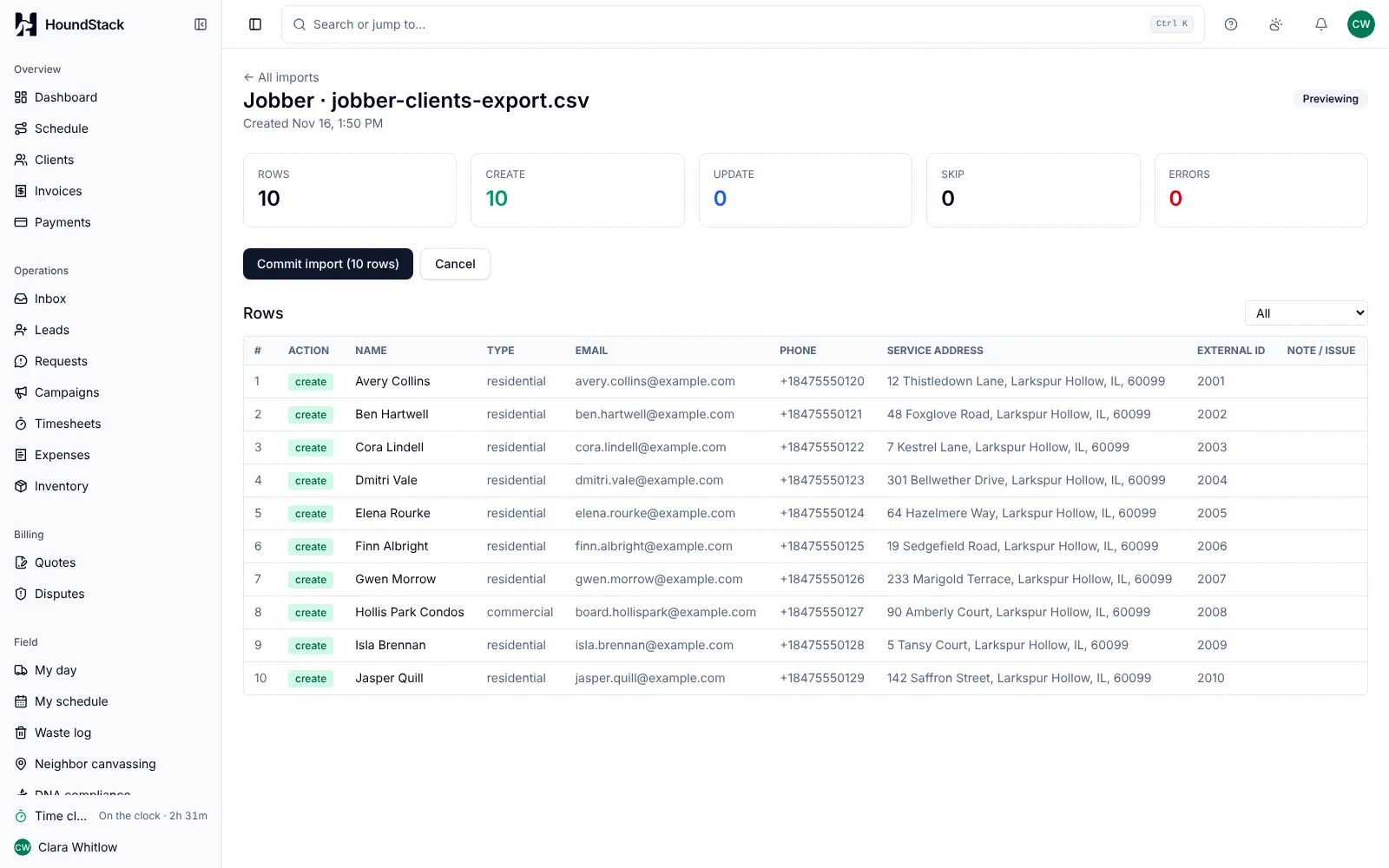
The importer shows every row it would create, update or skip in a dry run. Nothing is written until you confirm.
- 2
Put the first week on the board
Set up dog walking with its pricing and schedule the week. Visits land on the schedule and on each person's phone.
- 3
Send the first invoices
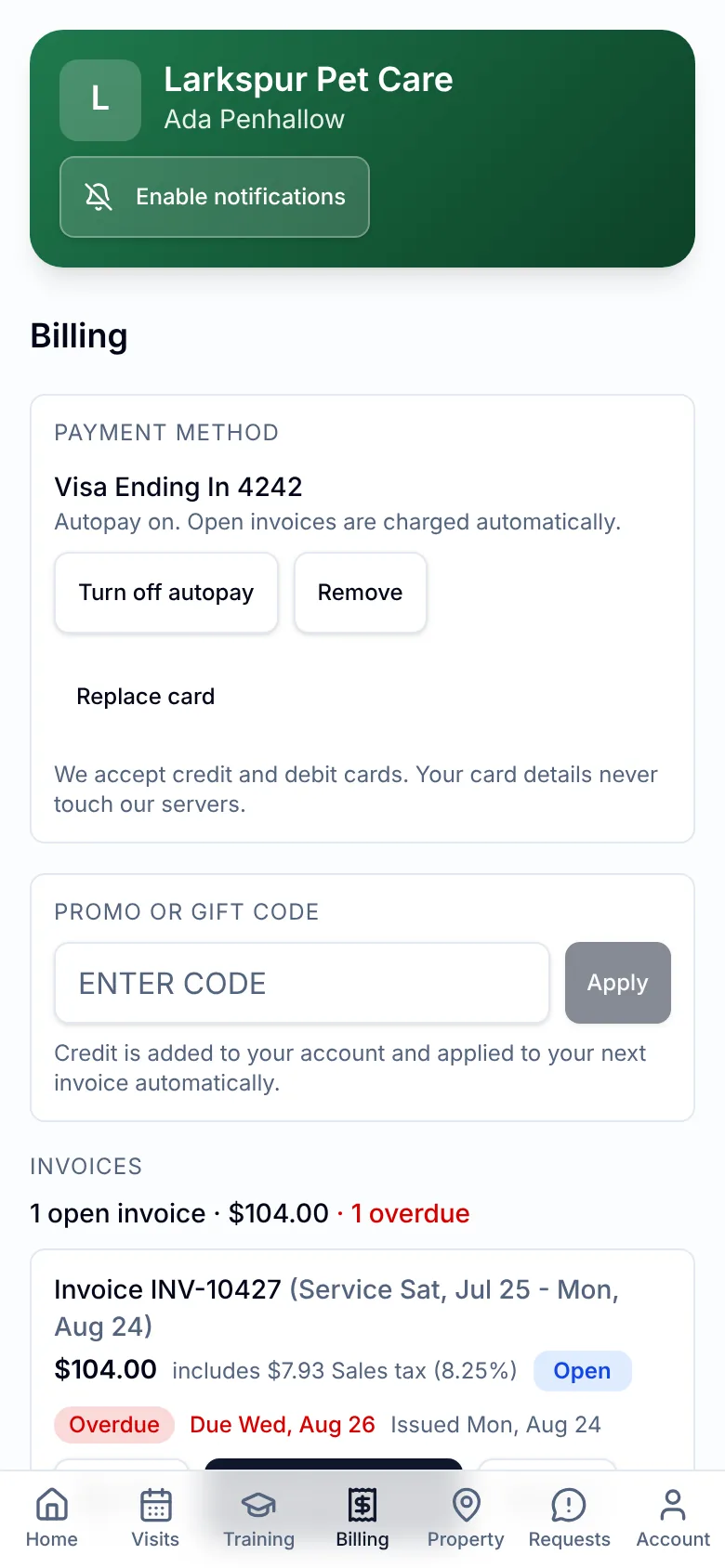
Invoices go out from the same account, and clients pay in the portal through your connected payment account.
Coming from another tool? See the switching guides.
Other services in HoundStack
Run your dog walking business on it this week
Import your clients, put the first week on the board and send the first invoices. Questions first? Email support@houndstack.com.
14-day free trial, no card. Founding offer: code LAUNCH20 takes 30% off your plan for life for the first 20 businesses.