
Scheduling and route optimization for every pet service you run
Walks, drop-ins, training sessions, grooms and yard visits all land on one schedule, and a day on the road lives or dies on drive time. HoundStack plans recurring visits, prices by zone, and reorders a full day of stops in one click using real drive time math, then hands turn by turn directions to whoever is driving.
How it works in each service
- Dog walking
Up to six walk times a day for one dog, each with its own arrival window, and each walk routed inside its window. Group walks carry a dog limit and a pickup order.
- Pet sitting
A multi-day stay creates the drop-ins or overnights for each day on the schedule, with one sitter for the whole stay.
- Dog training
Training sessions sit on the same schedule as every other visit, and the client record shows how many of the package’s sessions are used and booked.
- Mobile grooming
The office books each groom, with the appointment length set by dog size and add-ons that extend it, and rebooks every few weeks.
- Pet waste removal
Weekly, biweekly or custom recurring yard visits on zone routes, reordered in one click, with weather moves under your skip rules.
Watch a day get shorter
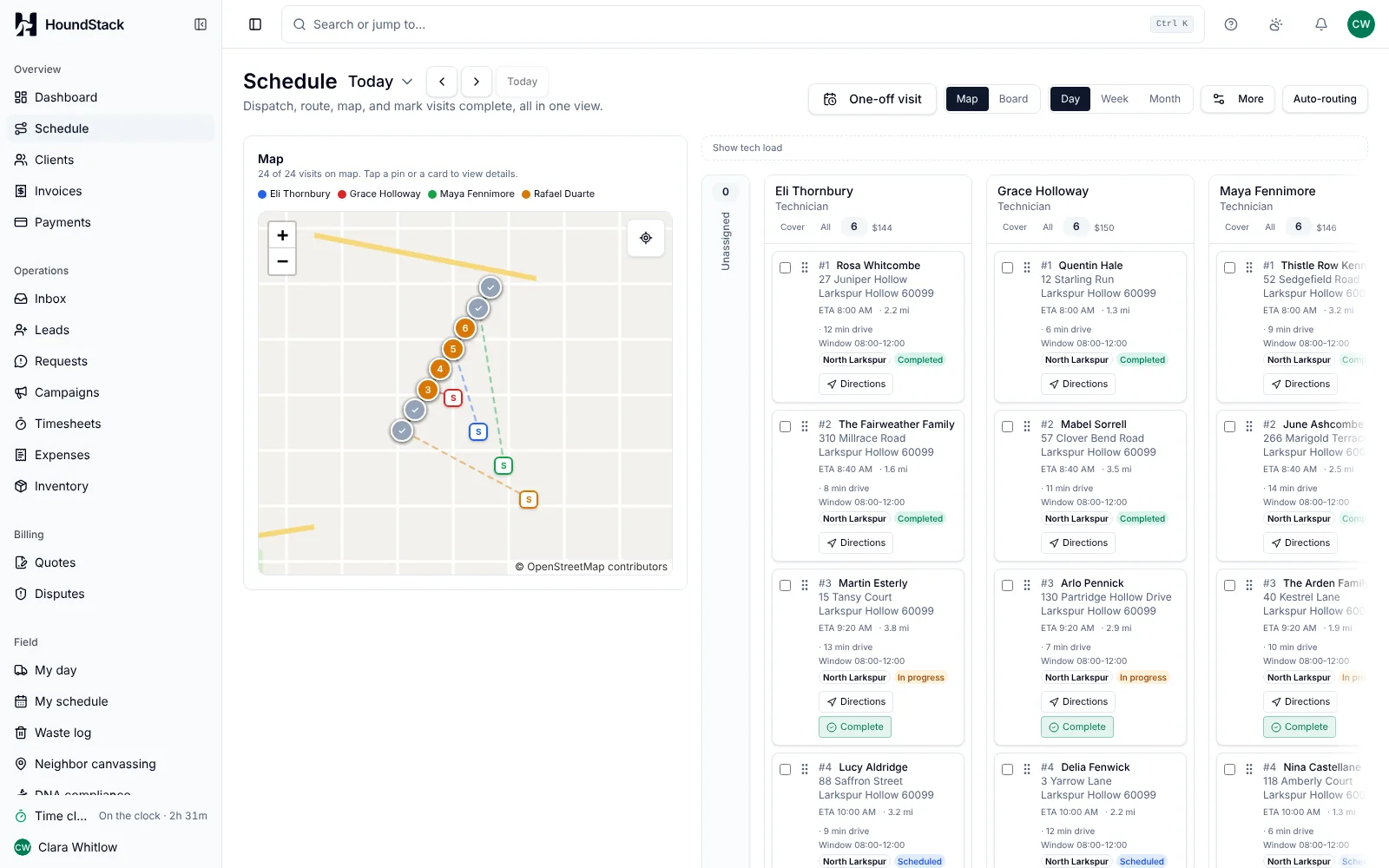
The schedule in Map view: every stop for the day on one map, colored by tech, next to each tech's list in route order with an ETA and the drive time to the next stop. Stops drag between people. The sample business on these screens runs pet waste routes.
- ETAs built on the road, not a ruler. Drive times come from real road data, and a visit booked for a time shows that time as its ETA.
- Zones keep the math honest. Postal prefix zones stop a new signup from dragging a route 20 minutes off pattern.
And here it is, actually running
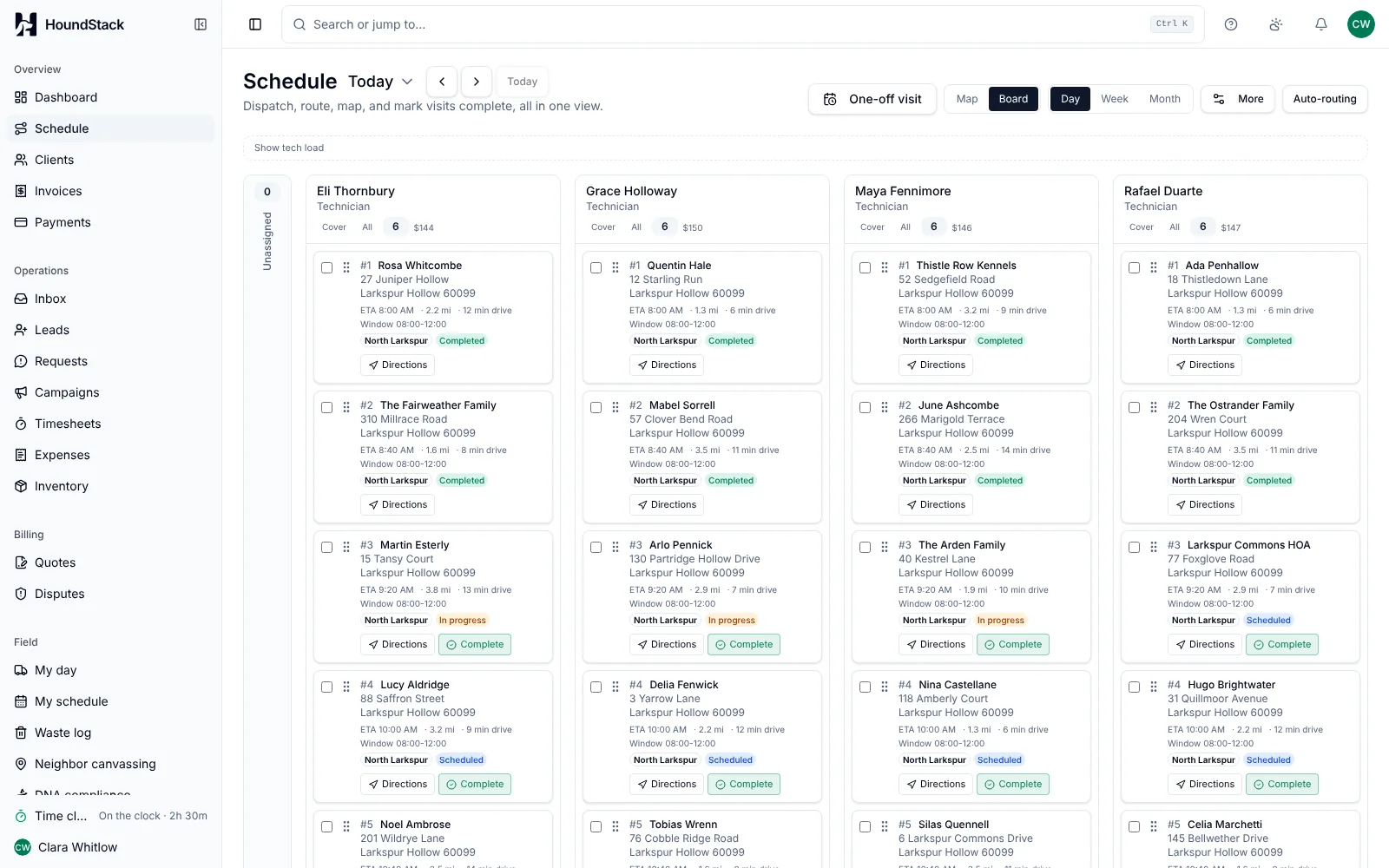
The same schedule in the product, as a board: one column per tech, every stop in route order with its ETA, drive time and status. Each tech's first two stops are already done. Every name and address is made up.
Everything in scheduling and dispatch
Recurring visits that match how clients actually buy
Weekly, biweekly, or a custom cadence, with preferred weekdays per client. Set it once and the schedule fills itself forward.
Blackout dates with automatic bump forward
Mark a holiday or a day off and every affected visit moves to the next valid day on its own. No hand rescheduling forty stops.
Zone based pricing and routing by postal prefix
Group your service area into zones, price each one for its drive density, and keep routes from sprawling across town.
Pricing that fits the property, not just the zone
For yard visits, zones quote flat, per square foot, or per acre with a minimum charge, plus a per extra dog rate. Draw the boundary and the quote computes itself.
A lead inbox that becomes the schedule
Leads from your website form land in a pipeline, get quoted from real zone pricing, and convert to a scheduled client in one click.
Multi person dispatch board
Every walker, sitter, trainer, groomer and tech, every stop, one board. Drag a visit from one person to another and the day rebalances.
One click route optimization
Real drive time and ETA math, not straight line guesses. Reorder a full day in one click and hand the result straight to whoever is driving.
Turn by turn handoff to Google Maps
Tap a stop and Google Maps opens with the destination loaded. No copying addresses.
Weather aware rescheduling
When a storm is coming, affected visits are flagged and move to the next valid day under your skip rules in one click, instead of piling into a phone triage morning.
Property boundaries you draw, not guess
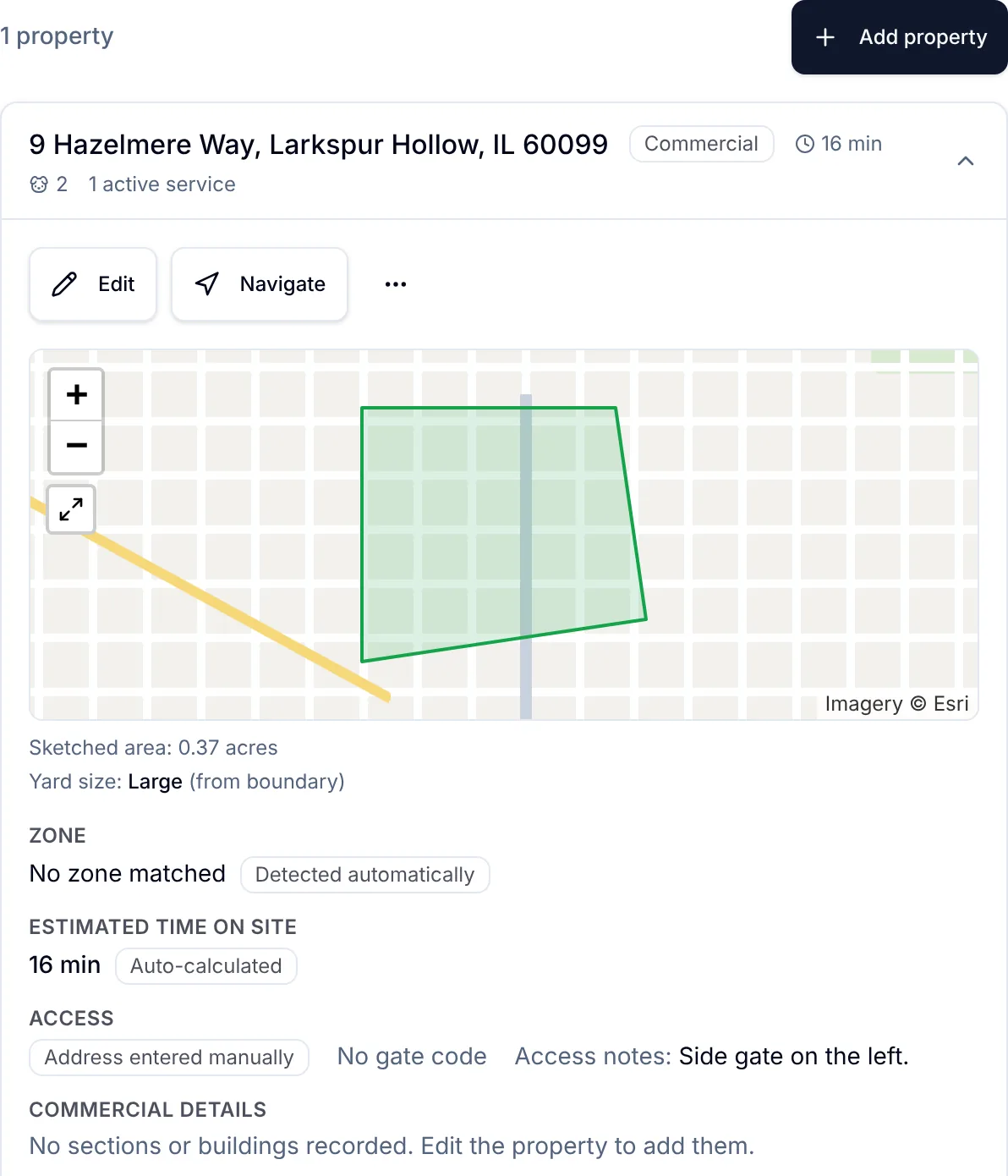
An address pin tells a tech where the house is. It does not say the client only pays for the back yard, or that the side strip past the gate is included. In HoundStack you sketch the actual service boundary on a map, per property. The yard size and the time on site are worked out from that drawing.
- The quote matches the yard. Pricing conversations get simpler when both sides are looking at the same drawn area.
- Substitute techs service the right area. The boundary answers "which part of this lot" before anyone texts the office.
Plans start at $79 a month
Plans include 1 person on Launch, 5 on Growth, or 20 on Scale, and each extra person is $15 a month within the plan's team-size range. See every tier side by side.
Coming from somewhere else?Switching from Sweep&Go
A named importer with a field mapping preview and a dry run, so nothing is written to your account until you have approved it.
Run your business on it this week
HoundStack is available now. Start today with a 14 day free trial, no credit card, and your first teammate included.
14-day free trial · No card · Cancel anytime