
A client portal that answers before they call
Much of the office day in a pet service business goes to questions the client could answer themselves: did you come, how did it go, what do I owe, can you charge the new card. The portal gives clients those answers directly, for every service they buy, and your phone goes quieter.
How it works in each service
- Dog walking
Clients book an extra walk in a two-hour window, look back at past walk reports, and keep their access details current. Codes are write-only: the portal shows “On file” or “Not set”, never the code.
- Pet sitting
Clients request a stay with its dates and pay the one invoice for the stay.
- Dog training
Clients see their lesson package and booked sessions in the Training tab, follow their dog’s progress and mark homework done. Clients do not buy packages in the portal.
- Mobile grooming
Clients request a groom and see the before and after photos. The office books the appointment.
- Pet waste removal
Visit history with completion photos, and concerns raised against the visit they are about.
Self serve, in the honest sense
The portal is the client's view of the same records you run on: their visits, their photos, their invoices, their card. When they check it, the office does not hear the question.
- Payments land with you. Portal payments run through your connected payment account and settle to your bank.
- Photos end disputes. The completion photos your techs already take are the proof clients see.
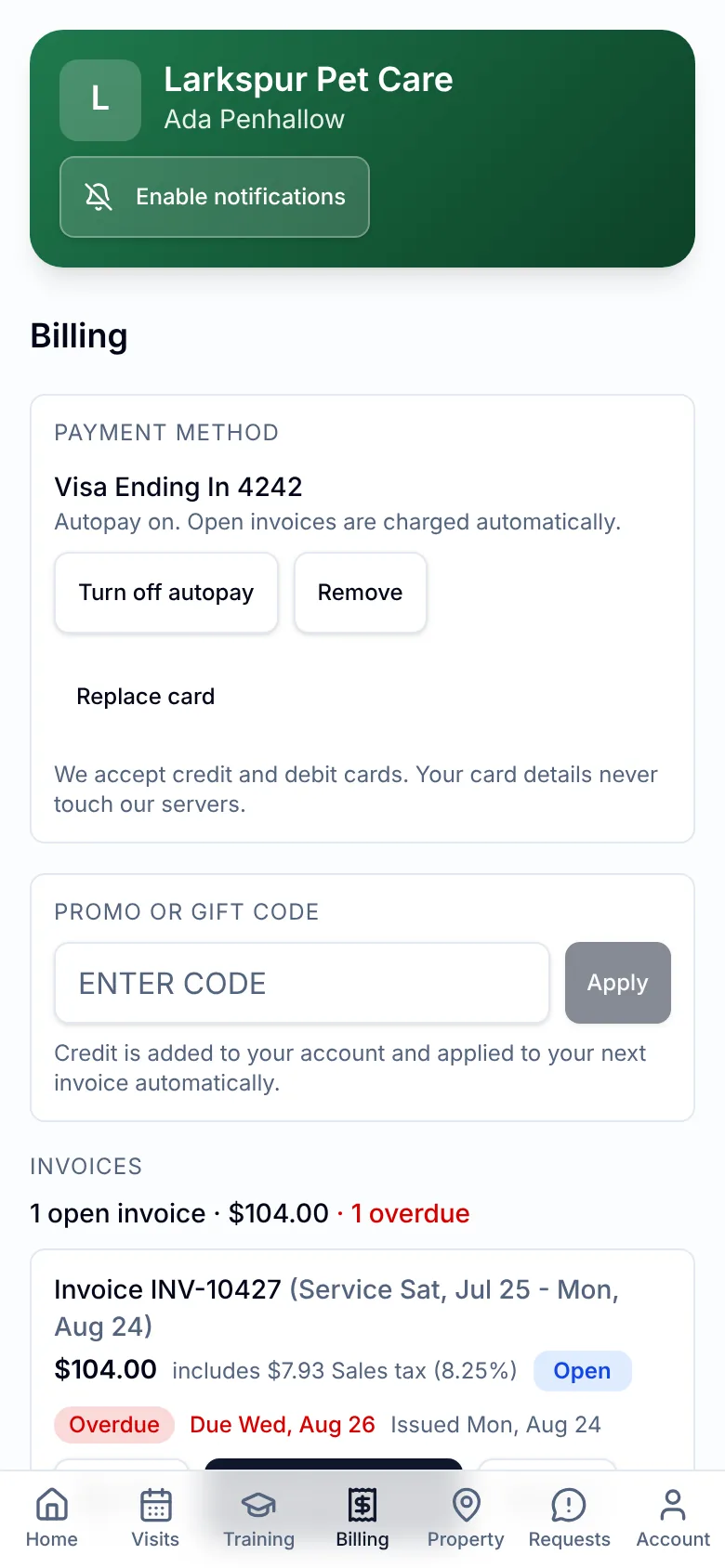
Everything in the portal
Invoices they can pay at 9pm
Clients view and pay invoices in the portal on their own schedule. Payments run through your connected payment account at standard processor rates.
Visit history with the photos
Every completed visit shows its date, who came, and its photos. The "did anyone actually come?" call answers itself.
Card updates without a phone call
An expired card is the top cause of failed payments. Clients update their own card in the portal and the next charge just works.
Sign-in codes, no passwords
Clients sign in with a one-time code sent to their email. Nothing to forget, nothing for you to reset. With the Managed texting add-on, codes can come by text once your number is approved.
Notification preferences they control
Visit reminders, on-my-way notices, and completion notices, each one a toggle the client sets themselves. By email, or by text with the Managed texting add-on.
Concerns start here too
A client can raise an issue from the portal, and it lands in your concerns queue linked to the right visit.
Plans start at $79 a month
Plans include 1 person on Launch, 5 on Growth, or 20 on Scale, and each extra person is $15 a month within the plan's team-size range. See every tier side by side.
Coming from somewhere else?Switching from GorillaDesk
A named importer with a field mapping preview and a dry run, so nothing is written to your account until you have approved it.
Run your business on it this week
HoundStack is available now. Start today with a 14 day free trial, no credit card, and your first teammate included.
14-day free trial · No card · Cancel anytime