
A field app your techs will keep open on every visit
Techs do not want software, they want the next yard, the gate code, and a heads up about the dog. My Day puts the next yard and the dog details in front of them, and gets proof photos back to the office without anyone asking.
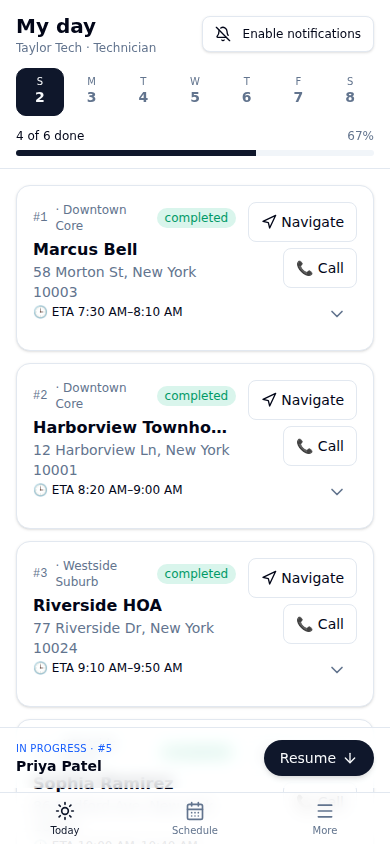
The whole job on one screen
This is the stop card a tech sees before opening the gate. Hazards come first, on purpose. A tech who knows about the invisible fence and the escape artist husky before stepping out of the truck finishes the yard and keeps the client.
- Built for the truck. The day's stops, ETA windows, navigation and completion on one screen, in any phone browser.
- Photo proof on every visit. A completion photo on every visit (or the tech's reason), plus optional before, gate and issue photos.
The same day, at a desk
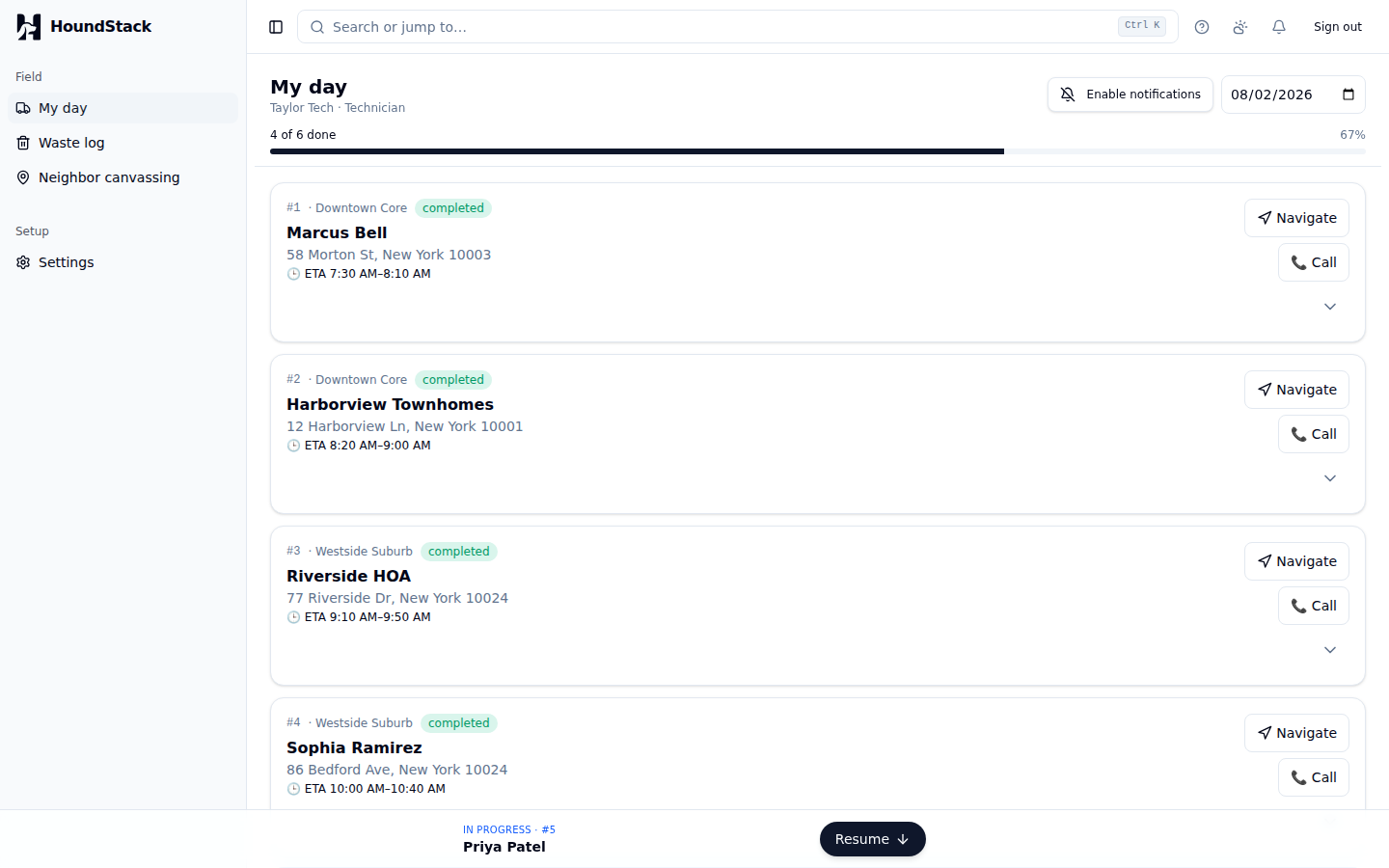
Nothing is phone-only. A dispatcher covering for a tech, or an owner checking on a route from the office, gets the same list, the same ordering and the same actions in a browser, including the Resume bar for whichever stop is open.
Everything in the field app
My Day, built for the truck
One screen with the day in order: next stop, ETA, gate code, hazards, and the two buttons that matter, navigate and complete.
A completion photo on every visit
A completion photo on every visit (or the tech’s reason), plus optional before, gate and issue photos, so the office has proof before the client ever calls to ask.
Safety hazards before the gate opens
Aggressive dog, escape risk, invisible fence, dog in yard during service, bees or wasps, sharp objects, slippery surfaces. Structured fields, shown up front, every visit.
Gate codes, tap to call, tap to navigate
The small stuff that eats minutes: the code is on the stop card, the client is one tap away, and navigation opens preloaded.
In field upsell add ons
Deodorizer spray, an extra area, a one time deep clean. Techs add it at the yard, the office reviews the charge, and it lands on the invoice correctly.
Station service logs on the stop card
For HOA and commercial stops: bags collected, liner replaced, refill bags added, logged per station per visit without leaving the card.
Skips with structured reasons
Locked gate, dog in yard, weather, client request. The tech picks the reason, the office’s billing rules decide what happens to the invoice.
Four languages, haptics, and push built in
Each tech picks their own language: English, Spanish, Arabic or Chinese, with Arabic laid out right to left. Taps confirm with haptics for gloved hands, and push notifications reach the truck.
Coming to iOS and Google Play
My Day runs today from any phone browser, so crews are not waiting on a download to start. Native apps for both stores are in the works and will be linked here the day they are live, not before.
On iPhone, the native app will put the day's route on the Lock Screen and in the Dynamic Island: the next stop, its arrival window, and how far through the day the tech is, without unlocking the phone.
Plans start at $79 a month
Plans include 1 person on Launch, 5 on Growth, or 20 on Scale, and each extra person is $15 a month within the plan's team-size range. See every tier side by side.
Coming from somewhere else?Switching from Jobber
A named importer with a field mapping preview and a dry run, so nothing is written to your account until you have approved it.
Run your business on it this week
HoundStack is available now. Start today with a 14 day free trial, no credit card, and your first teammate included.
14 day free trial · No credit card · Cancel anytime